What we learned designing for Apple Vision Pro?
Designing one of the first Apple Vision Pro apps taught us how spatial computing really works, and why its biggest impact is still ahead.
TL;DR
Designing for Apple Vision Pro changed how we think about interfaces, spatial clarity, and real-world usability. After building one of the platform’s first apps, our team at ANML went from cautious curiosity to full belief. The opportunity is real, the constraints matter, and the future use cases go far beyond entertainment.
When Apple announced Vision Pro, I was intrigued but skeptical.
Then our team at ANML had the opportunity to design one of the first apps available on the platform. That changed everything.
Working inside the device shifted our perspective fast. What initially felt like an ambitious experiment quickly revealed itself as a new interaction paradigm that demands restraint, precision, and a deeper understanding of human behavior. Today, every person on our team is fully on board with where this technology is heading.
Yes, the price point is high. But over 200,000 units sold in the first 10 days of preorders tells you something important. This is not a novelty. It is an early signal.
Here are the most important things we learned designing for Apple Vision Pro.
What should you prioritize when designing for Vision Pro?
Keep it simple
Spatial interfaces can overwhelm users faster than traditional screens.
Our earliest concept explored multiple floating windows displaying different content streams. In practice, this introduced friction immediately. Every head movement required window repositioning. Cognitive load climbed fast.
The takeaway was clear. Fewer elements. Clear hierarchy. Let the space breathe.
Vision Pro rewards restraint.
Can you rely on the Vision Pro simulator?
The simulator is not the experience
Designing without the physical headset is like designing sound without speakers.
The Vision Pro simulator does not capture the fluidity, depth, or responsiveness of the real device. Interactions that felt clunky in simulation felt natural in headset. Others that seemed fine on a screen became distracting or uncomfortable when worn.
If you are serious about building for spatial computing, investing in the hardware for real testing is not optional. It is foundational.
How does eye tracking affect interaction design?
Eye tracking is extremely sensitive
When we layered too many interaction points onto a single volume, accidental focus states became common. Small eye movements triggered unintended actions. Visual noise increased. Frustration followed.
Designing for Vision Pro means treating eye tracking with respect. Fewer targets. Clear affordances. Intentional spacing. Your UI has to anticipate how the human eye naturally behaves, not how you wish it would.
What content formats does Apple Vision Pro support?
Learn the foundations first
Apple defines three primary content types: windows, volumes, and spaces.
Each exists for a reason. Each excels at different kinds of information.
Trying to force content into the wrong format creates friction fast. Before pushing boundaries, you need to understand why those boundaries exist. Master the defaults first. Then evolve them.
How does physical space change UI design?
Placing UI in the real world changes everything
Our early explorations intentionally pushed Apple’s guidance. Custom glass. Opaque windows. Novel depth treatments.
What we learned was humbling.
Some visual treatments introduce safety concerns. Others cause unnecessary strain. Apple’s system glass dynamically adapts to lighting and background conditions for a reason. It preserves depth, accessibility, and comfort.
Spatial design is not just about aesthetics. It is about ergonomics, perception, and long-term use.
Certain head and eye movements are easier than others. Ignore that, and your interface will fail no matter how beautiful it looks.
Where does Apple Vision Pro have the most potential?
Entertainment will always be part of the story. But the real opportunity lies elsewhere.
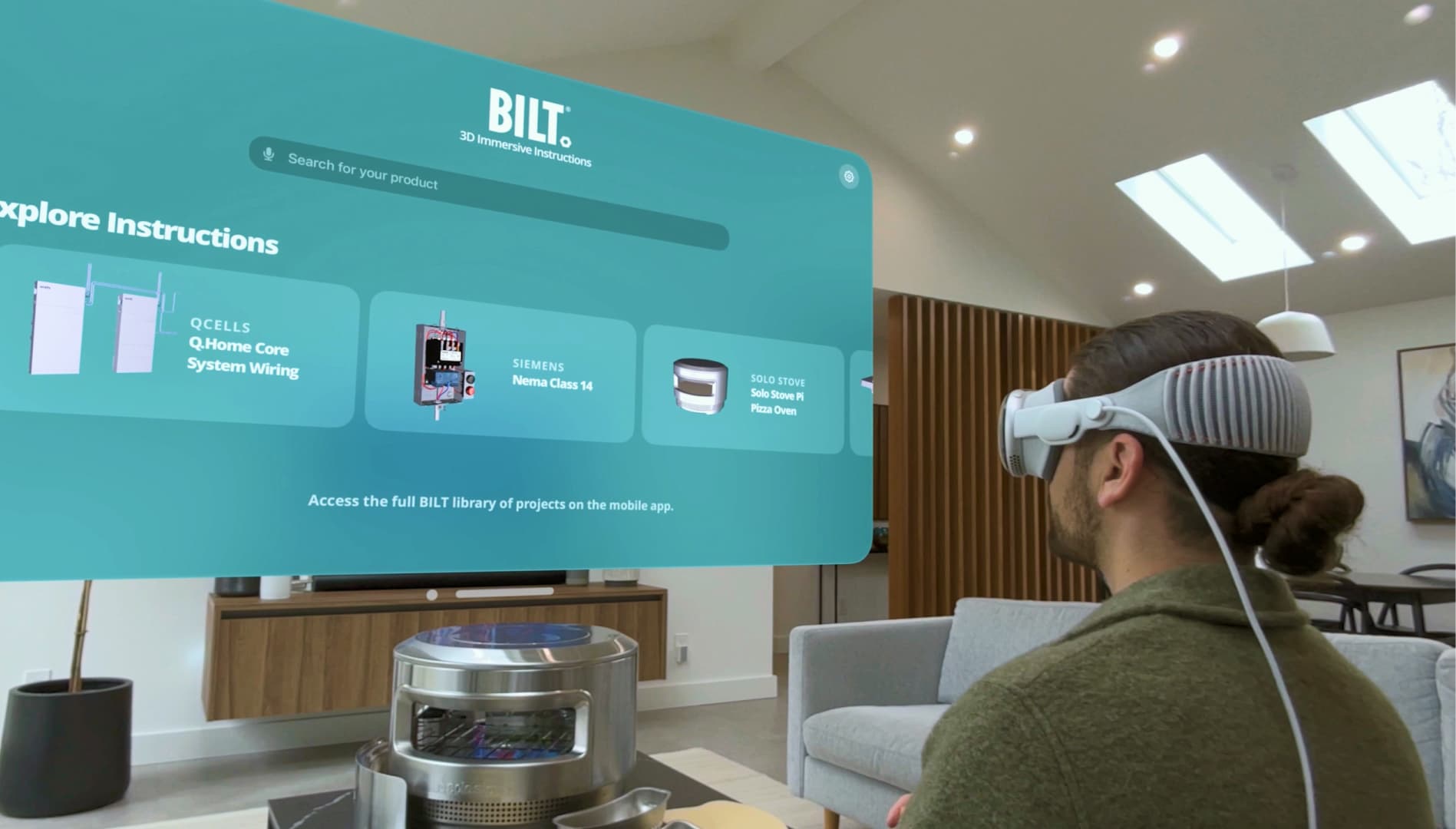
The strongest use cases we see are professional and instructional. Hands-free workflows. Complex assemblies. Step-by-step procedures. Immersive training that lives directly in the context where work happens.
This is where spatial computing stops being impressive and starts being indispensable.
Key takeaways from designing for Vision Pro
Simplicity is not optional. It is essential.
The simulator cannot replace real-world testing.
Eye tracking amplifies both good and bad design decisions.
Apple’s foundational patterns exist for a reason.
Spatial UI introduces real ergonomic and safety considerations.
FAQ
Is Apple Vision Pro ready for mainstream consumers?
Not yet, primarily due to cost. But early adoption signals show strong momentum, and platform maturity will come faster than many expect.
Do you need a Vision Pro to design effectively for it?
Yes. Real hardware testing is critical for interaction accuracy and comfort.
Is Vision Pro only relevant for entertainment apps?
No. The most compelling opportunities are in professional, instructional, and enterprise use cases.
How different is spatial UX from traditional UX?
Fundamentally different. You are designing for bodies, not just screens.
Can existing apps be easily adapted for Vision Pro?
Some can, but the best experiences are designed spatially from the start.
What industries stand to benefit most right now?
Healthcare, manufacturing, training, and complex B2B workflows show immediate promise.
About Anml
